
Step 8: Go Live in Production
Enable Production Access
To go live:
- Submit KYB documents in the dashboard
- Documents are reviewed and verified
- Production access is enabled
Typical approval time: 3–4 business days
After your KYB is approved, you can toggle to the Production environment in the dashboard and get access to all the tabs.
The checkout widget templates that you had created in the Sandbox environment will be available in the Production environment also. However, you will need to add the currencies and the crypto tokens for those in the Production environment.
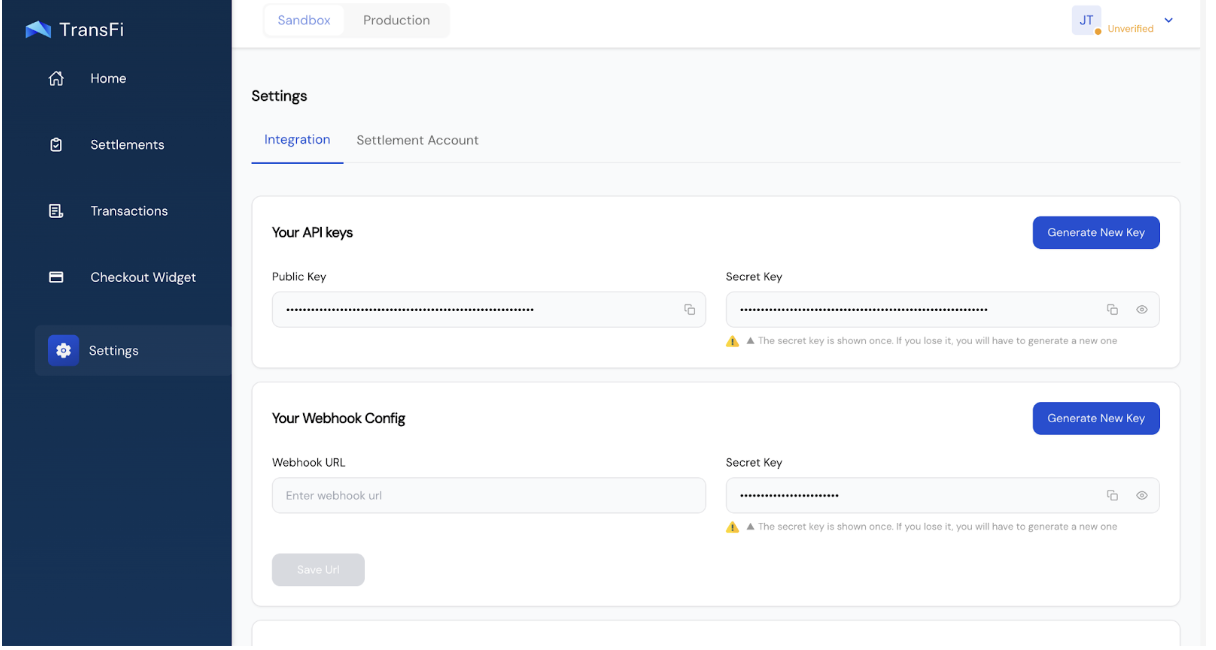
You will need to add the settlement account details and generate the Production API keys for making transactions in Production.
[!WARNING] Common mistakes:
- Not Adding Settlement Account in Production
- Not generating the API keys in Production
- Not Adding the Webhook URL in Production
What Changes in Production?
- New API keys
- Real fiat and crypto
- New Webhook Secret Key
- New Webhook URL
You can find API keys here:
Dashboard → Settings
Updated 4 months ago
Did this page help you?