
Step 1 : Checkout Widget
Step 1: Set Up the Checkout Widget
Before creating transactions, you need to configure your Checkout Widget.
Where to Do This?
Dashboard → Checkout Widget
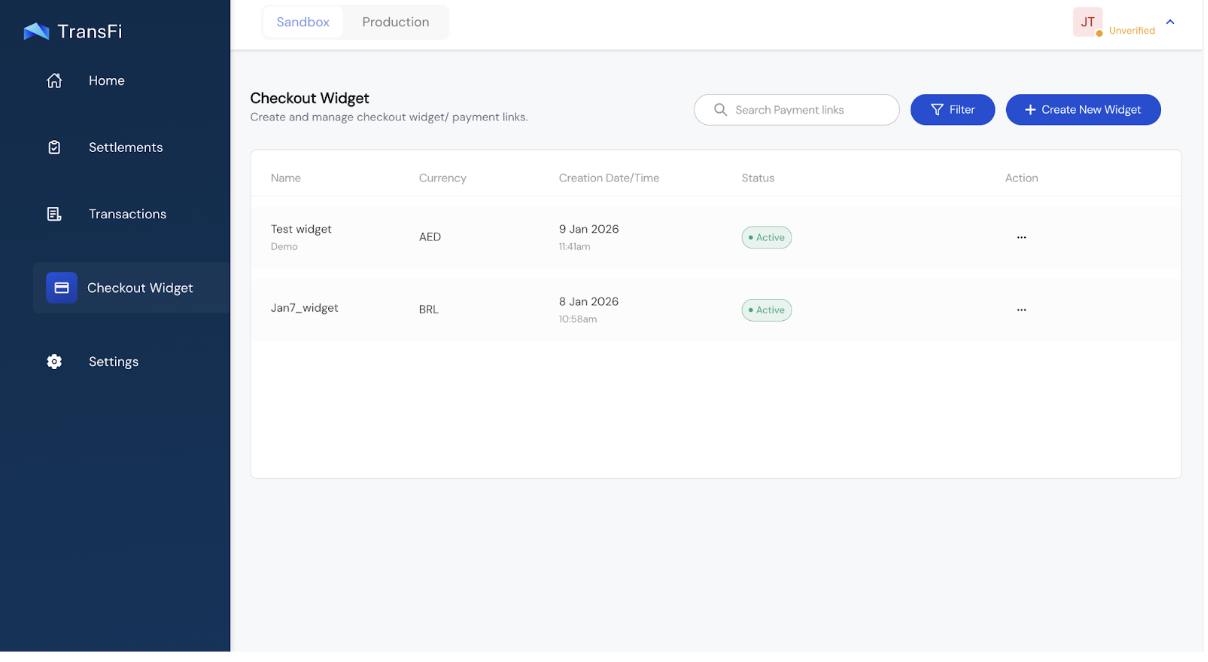
What Is a Checkout Widget?
A Checkout Widget defines:
- Your branding
- Supported currencies
- Supported Payment Methods for those currencies
- Supported crypto tokens
You can create multiple widget templates and reuse them across transactions. Each widget has a unique ID called the paymentLinkId.
Your customers will see this widget in the TransFi hosted page while making their payment.
How to Create/Update Checkout Widget?
Create:
- Dashboard → Checkout Widget → Click on "Create New Widget"
Update:
- Dashboard → Checkout Widget → Click on the existing widget
Widget Customization Options
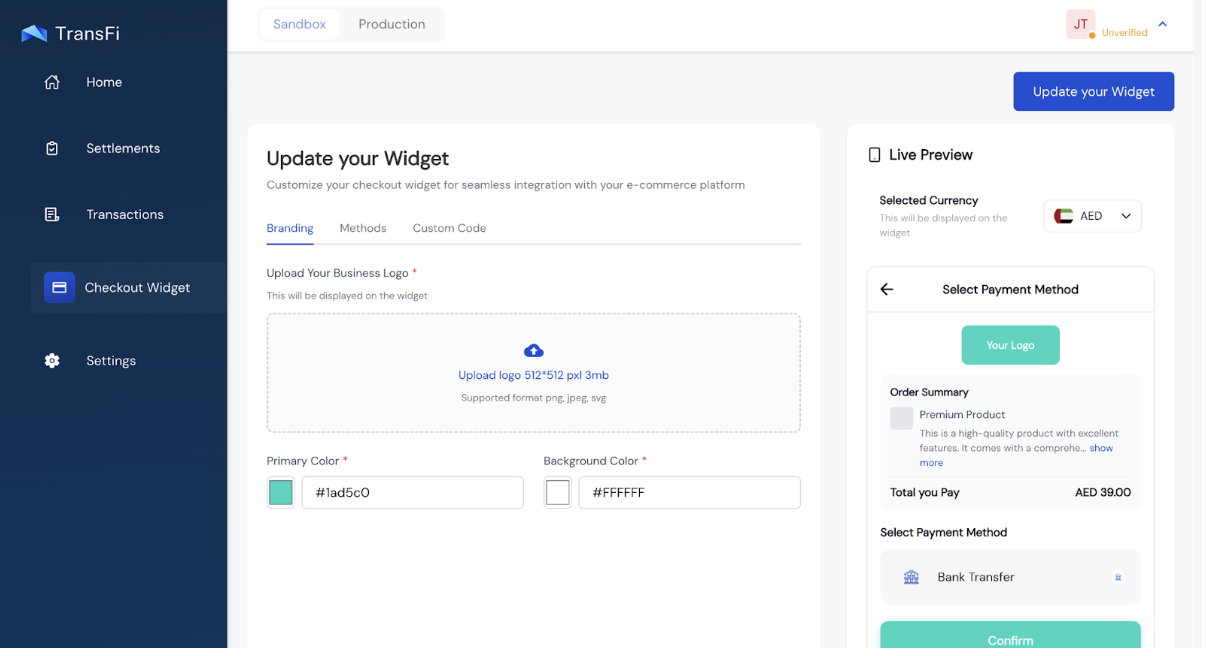
You can customize:
- Logo
- Brand color
- Supported fiat currencies
- Payment Methods per currency
- Supported crypto tokens
You will get a Live preview of the widget on your screen while you are making the customizations.
After adding your brand's colours and logo you can select the payment methods that you want to enable for your customers.
[!TIP] You do not need to create a different widget for each currency. You can add all the currencies and crypto tokens that you want to collect in a single widget template. To collect the payment in a particular currency, simply pass that currency in the "currency" param of the API.
You will also get custom code for the template that you created in Node.js, Python, PHP, Java and a sample cURL which you can import in Postman.
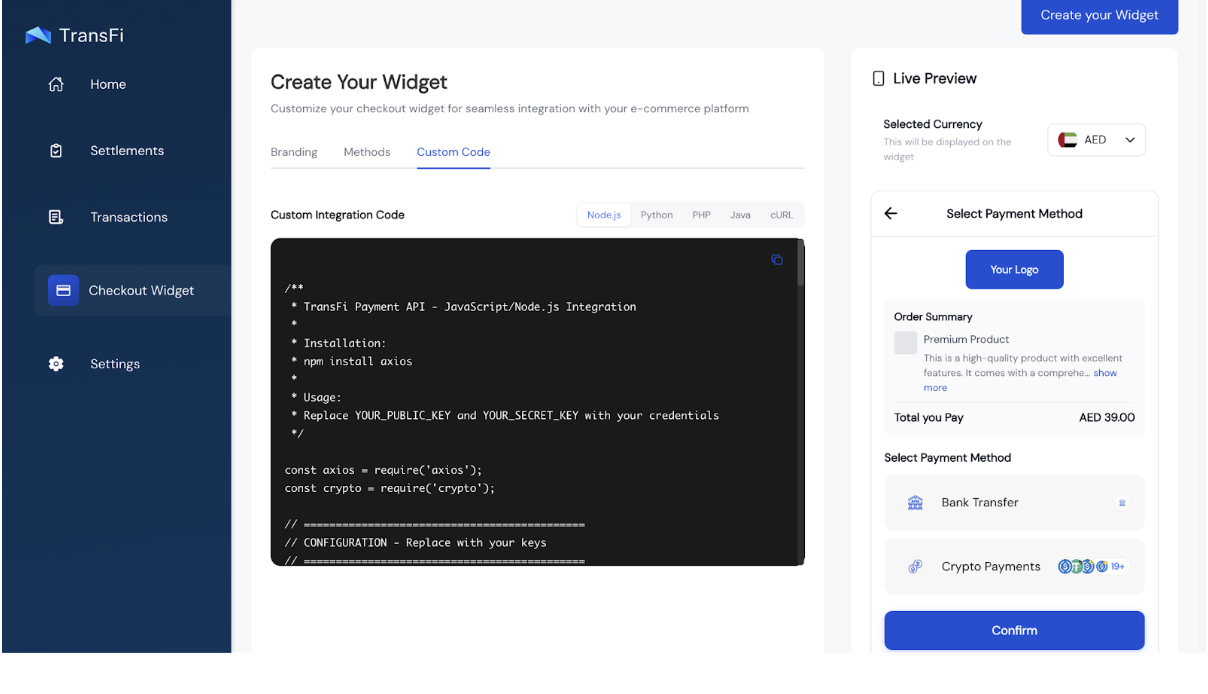
[!TIP] You do not need a new widget for every transaction. Create once, reuse everywhere. You will simply need to pass the
paymentLinkIdof that widget in the API.
Important Widget Rules
- Only payment methods enabled in the widget will appear in checkout
- If you pass a currency in the API but haven't enabled payment methods for it in the widget, nothing will be shown
[!WARNING] Common mistake: Passing a currency in the API but forgetting to enable its payment methods in the widget.
Updated 4 months ago